Understanding Analytical Assessments in InterWiz
September 19, 2025 | 3 min read
OVERVIEW
The Analytical Assessment measures a candidate’s cognitive and problem-solving abilities to ensure they meet the analytical demands of the role.
In interviews, this assessment appears as multiple-choice questions (MCQs) designed to evaluate reasoning skills across different dimensions.
Question Types in Analytical Assessments
There are four types of analytical questions:
Numerical Comprehension – Interpreting data, numbers, and calculations
Verbal Comprehension – Understanding and analyzing written information
Attention & Focus – Identifying details, accuracy, and consistency
Abstract Reasoning – Recognizing patterns and solving logic-based problems
Adding Analytical Assessment
Click the Add button (+) between assessments.
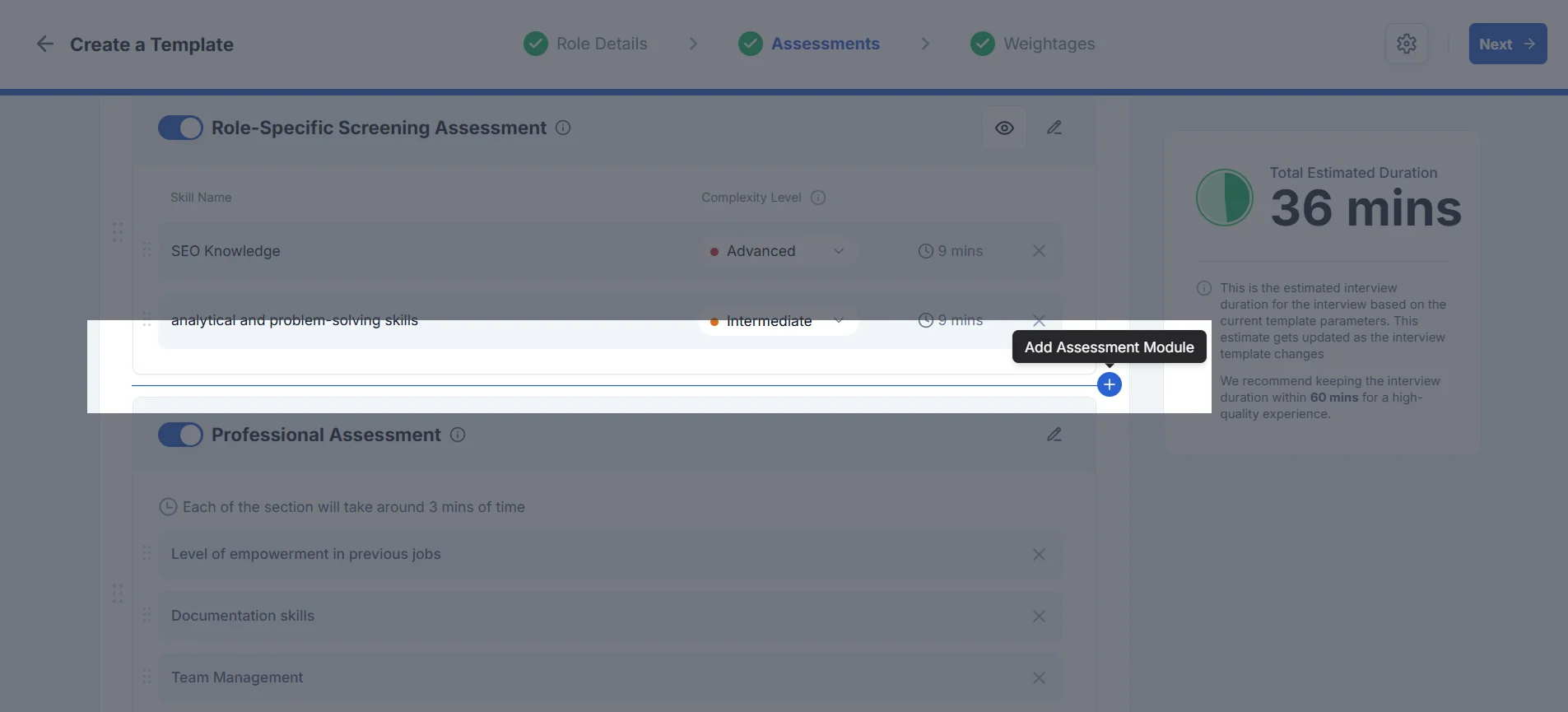
2. Select Analytical Assessment from ‘Add Module’ Drawer and click Next
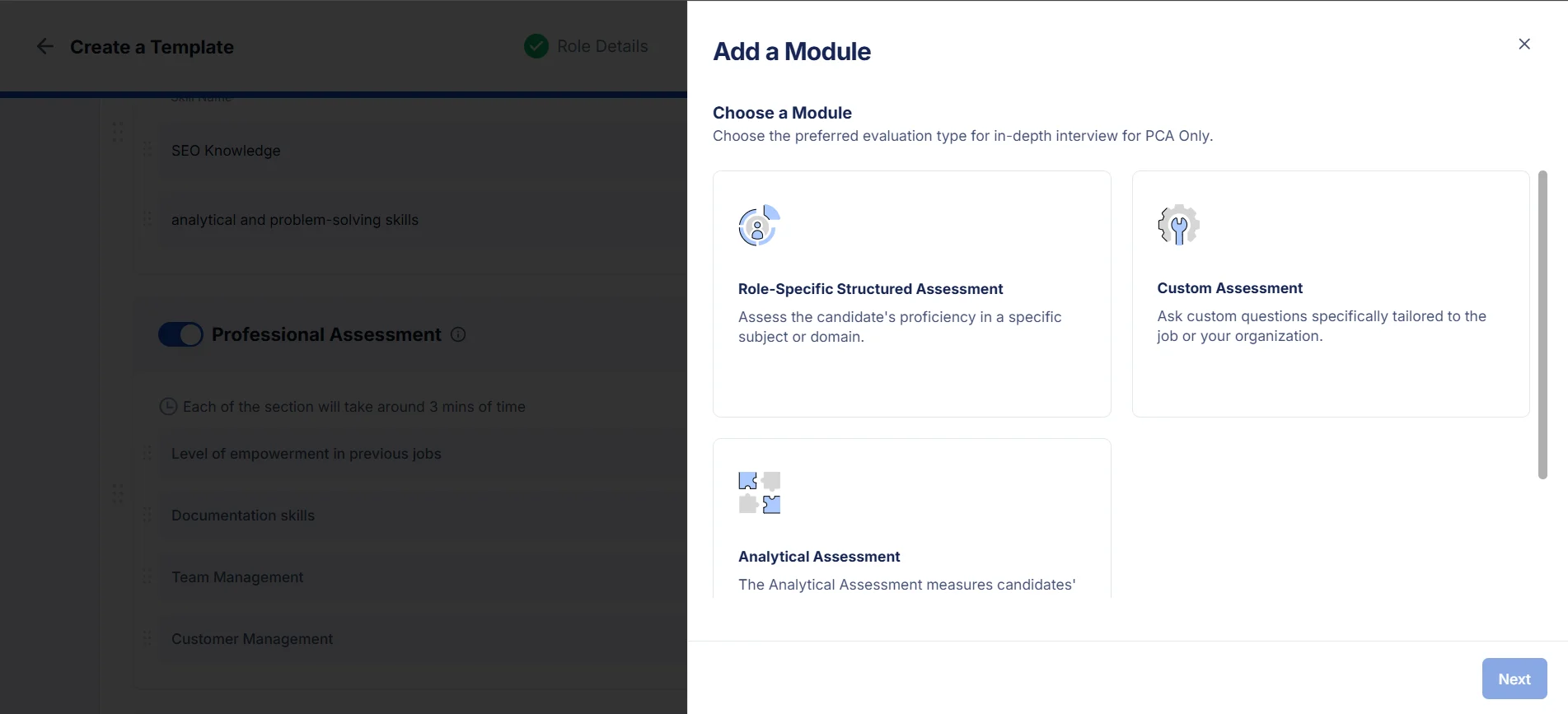
3. After that you can configure your Analytical assessment for AI Interview
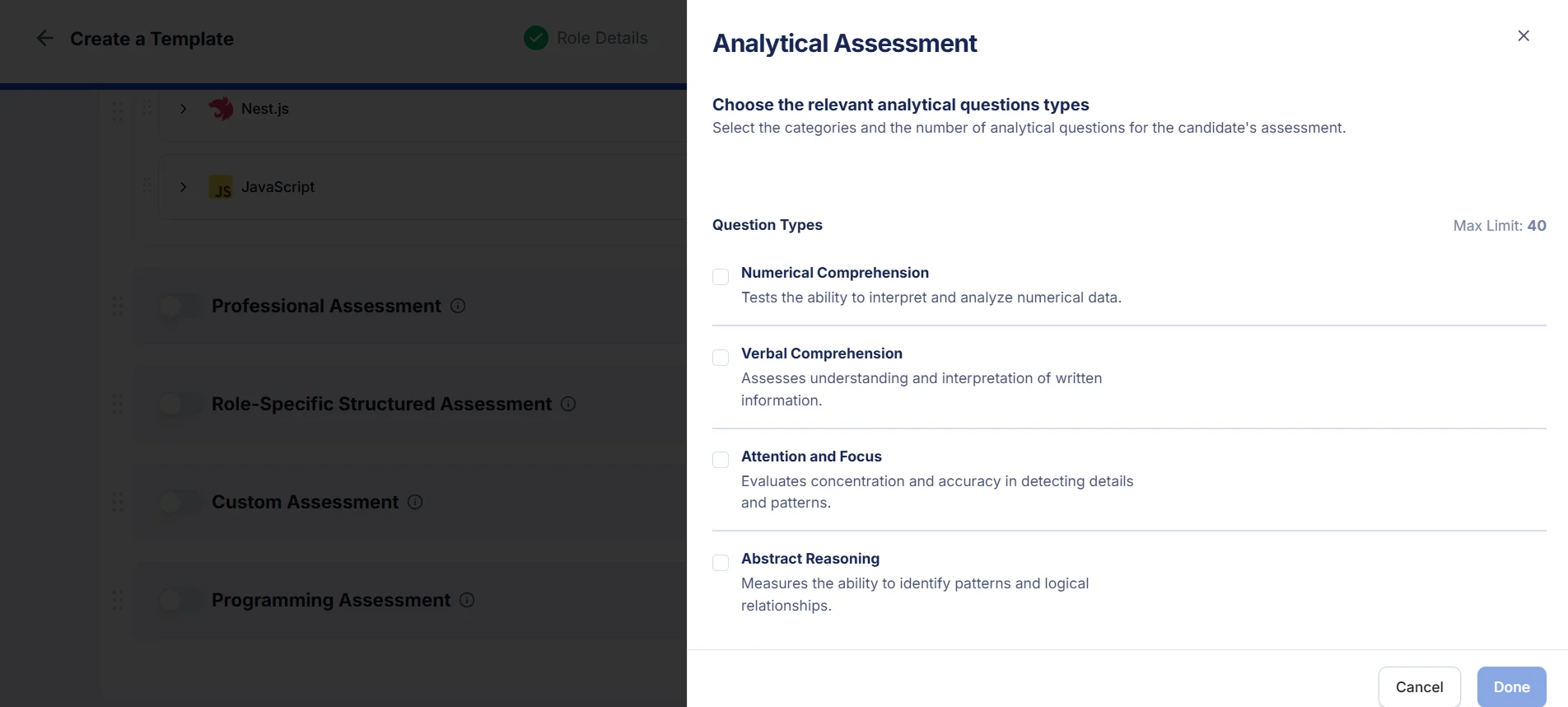
Configuring an Analytical Assessment
When setting up an Analytical Assessment, you can:
Choose question types – Select one or more from the four categories above.
Set question counts – Decide how many questions you want from each category (up to 40 questions total).
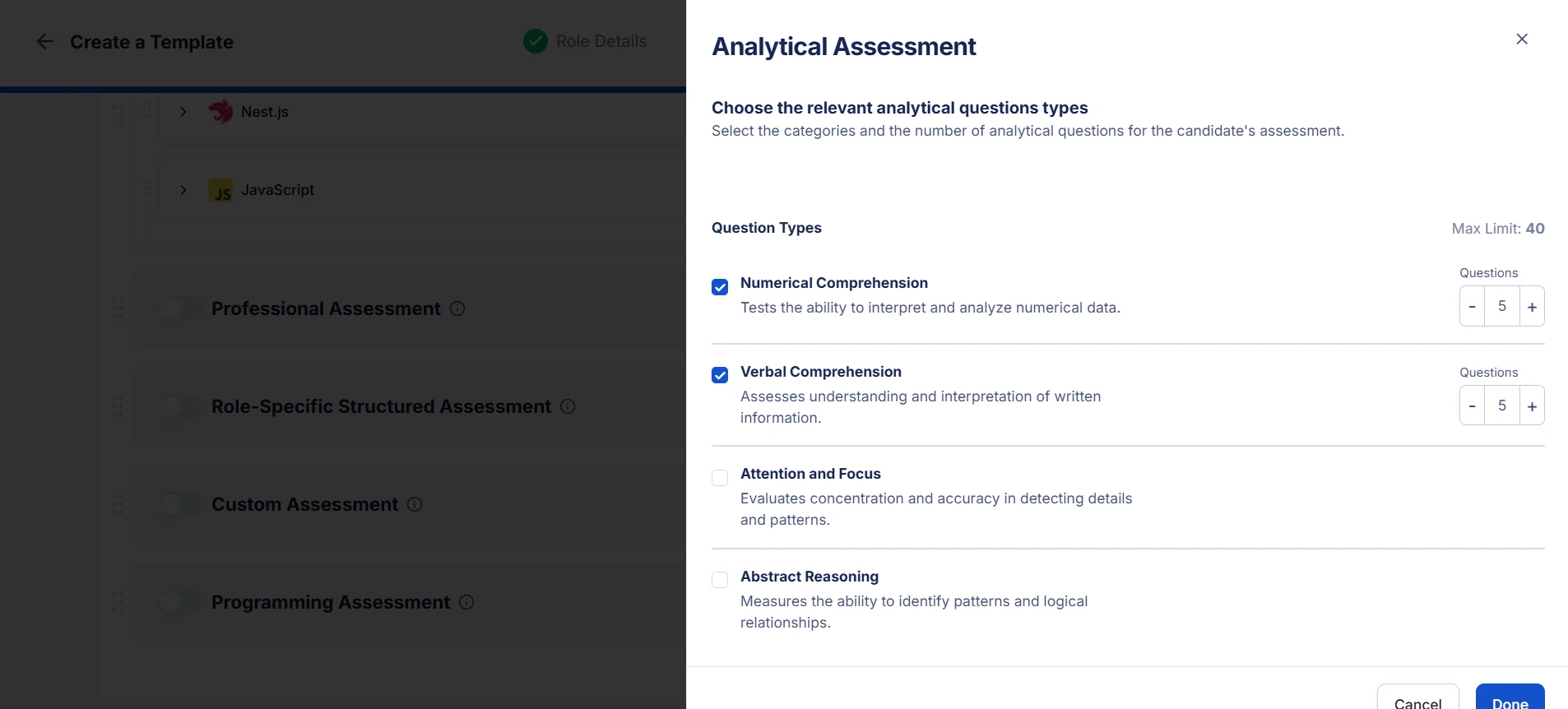
👉 Example: You might choose 10 Numerical, 10 Verbal, 10 Abstract, and 10 Attention & Focus questions for a balanced evaluation.