Understanding Programming Assessments in InterWiz
September 22, 2025 | 3 min read
OVERVIEW
The Programming Assessment helps you evaluate a candidate’s real-time problem-solving and coding skills. These assessments engage candidates with coding challenges where they are asked to:
Write solutions to programming problems
Debug existing code
Predict outputs in real time
This ensures you’re assessing not only technical knowledge but also logical reasoning, accuracy, and efficiency.
Adding a Programming Assessment
Follow these steps to include a programming assessment in your interview template:
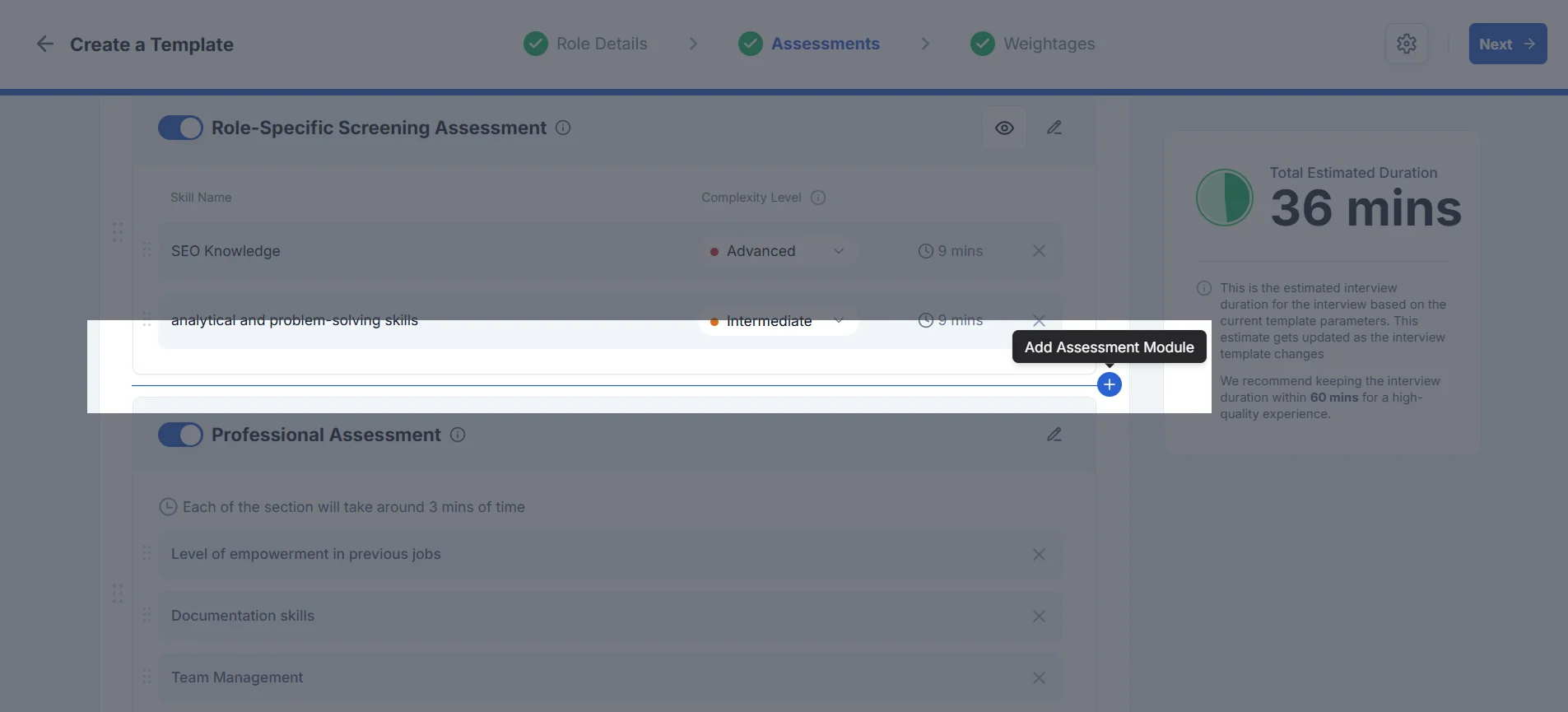
Open the Template Wizard
Navigate to your chosen template and go to the Assessments step.
Click the ➕ Add button between assessments.
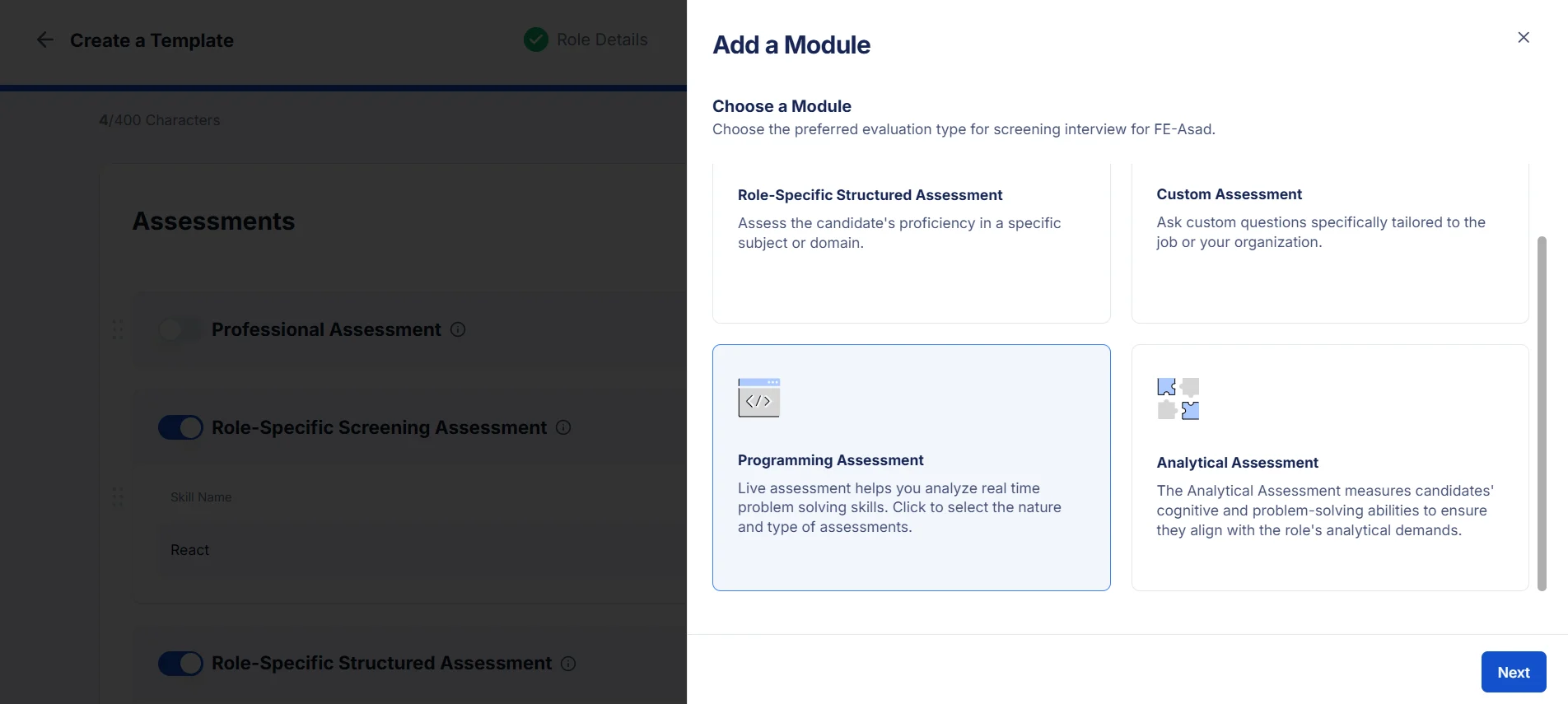
Select the Programming Assessment
From the Add Module drawer, choose the Programming Assessment card.
Click Next.
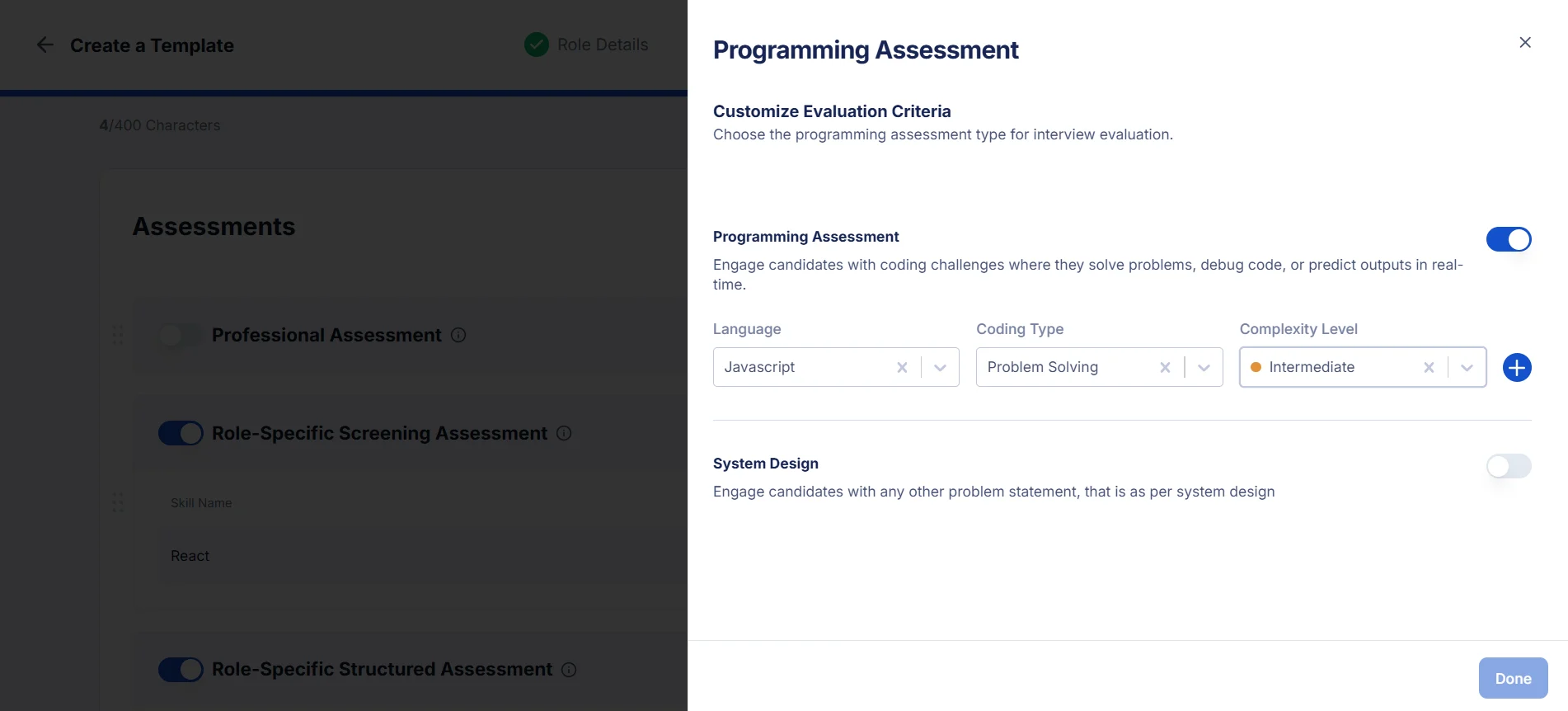
Configure the Assessment
Toggle the Programming Assessment on.
Select the programming language (e.g., Python, Java, JavaScript).
Choose the coding type (e.g., problem-solving, debugging, output prediction).
Set the complexity level (e.g., easy, medium, hard).
Click the ➕ button to add it to your list.
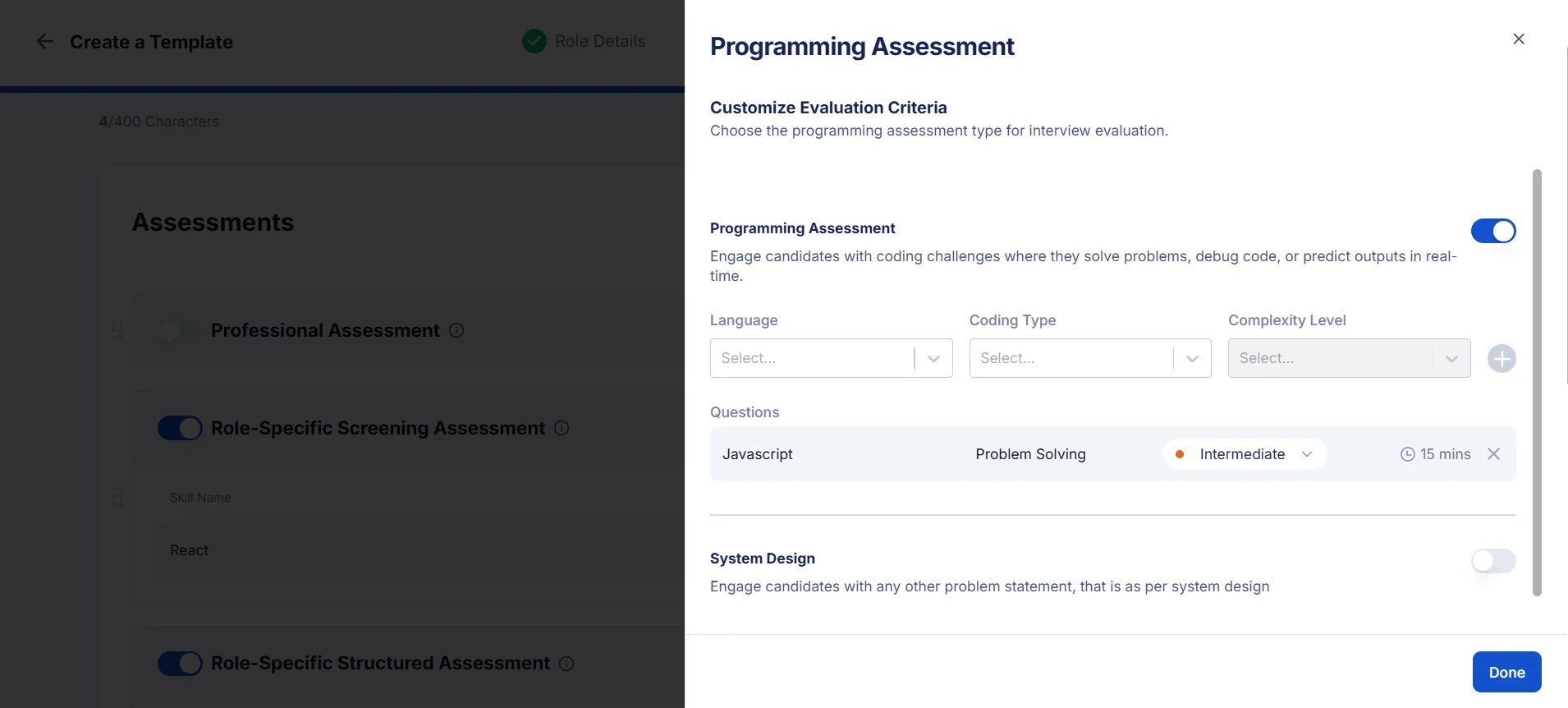
Finalize and Save
Click Done to confirm your choices.
The programming assessment will now appear in your template.
